 Opsino
Take or choose a photo
Open resistor mode with the Ω button. When Opsino detects a resistor, the view aligns it horizontally. Your original photo stays unchanged.
Check the bands and reading direction
Numbered lines point to the color bands. Check the suggested colors and reading direction. You can correct colors, move markers and add missing bands.
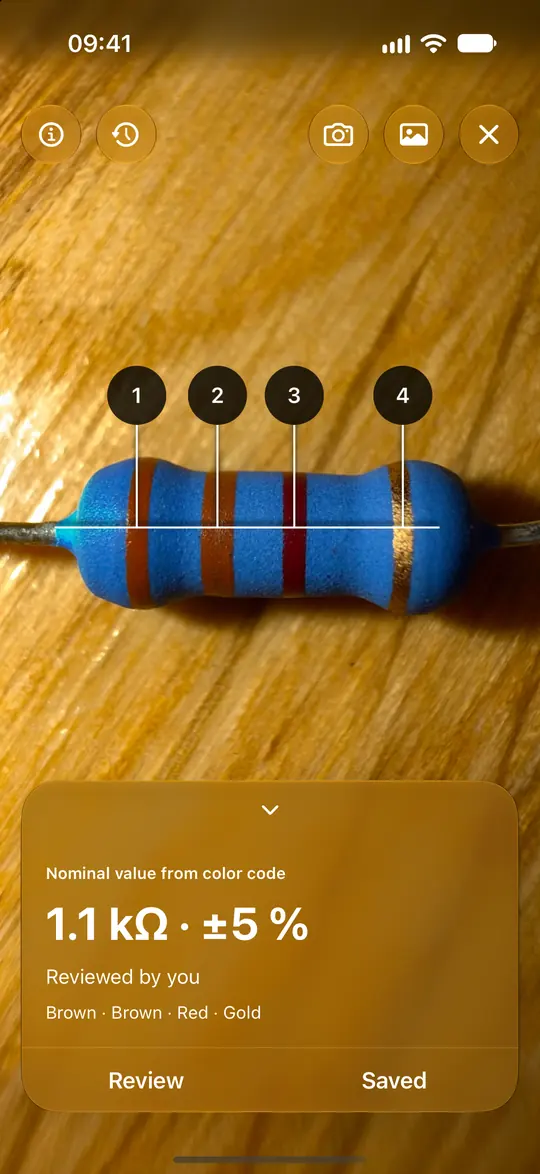
Read the value and save it locally
Opsino calculates nominal value and tolerance for four, five or six bands. Six-band codes also include the temperature coefficient. Save the result with its photo and an optional note directly on your iPhone.
Understand the result
The color code describes the nominal value. The app does not measure the actual electrical resistance.
Unlock resistor mode
Resistor mode is available as a one-time in-app purchase. Buying it makes the app ad-free; photo mode remains a separate purchase.
